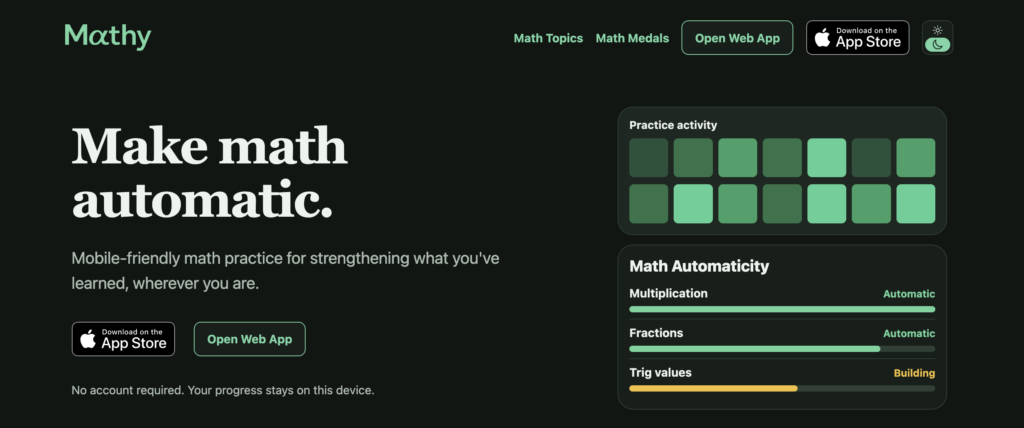
I finally built Mathy, a little project I’ve been thinking about for a couple years. It’s free, and no account is required if you want to try it on iOS or web.
I use Math Academy daily, which is the best way to learn math. But I wanted a mobile-friendly way to drill math and weak areas on the go that was more convenient/less cumbersome than Anki cards.
It’s also a nice way to do something productive (feel like I’m building towards something) in those spare moments here and there rather than scrolling.
The gist of Mathy is counterintuitive: If it works, you’ll use it less. For example, as your topics become automatic, recommended practice sessions can get weeks apart or longer (you can still practice whenever you want).
Why Mathy
First, I’m a huge proponent of Math Academy, their philosophy and everything Justin shares about learning (check it out), so I won’t recap that here.
I want to be much better at advanced math, but I’m not a naturally gifted mathematician and bump into a ceiling.
I also intentionally don’t put in as much time and focus as I could. It’s a hobby. Though I have consistency over a long period of time, my daily volume is quite low. But I’m ok with that, and I’m quite happy with the progress I’m making given the time I put in. It fits well into my life.
So to give myself an advantage, I wanted an easier way to drill math to make more things automatic. I’m curious how far I can go there and how much automaticity can raise my ceiling given my other constraints.
And though Math Academy is the best way to learn math, it focuses on lessons, reviews and quizzes, not drilling like flashcards. But there are plenty of other tools for that, which I experimented with.
The most popular seemed to be Anki cards. And though Anki is a flexible tool, it wasn’t ideal for math. It was also cumbersome to create and maintain cards.
I didn’t find any other good math alternatives out there, so here we are.
How it came together
I’d been thinking about something like this for a couple years and it became quite acute as I struggled memorizing trig ratios, formulas, etc. especially since there’s such a wide variety of content the deeper into math you venture.
I’d been taking notes on what I wanted over time, so I had a decent starting point. Then finally one weekend I just put them into a product requirements doc to see what this would look like. I liked it, but didn’t have time, so forgot about it for a few months.
In parallel over the last year I’ve been going deep on agentic coding, burning hundreds of millions of tokens learning what AI was capable of, the best ways to build with it, refining my workflows, etc.
But most of the things I worked on were quite complex with a lot of moving parts. I wondered how “easy” it’d be to build a simpler product. And so I decided this would be the project.
The core app came together in a few days, but using the app revealed dozens of little rough edges that didn’t quite feel right and revealed deeper issues I had to iterate on.
So though the core app came together fast, getting it to a point where I was somewhat happy with it took a couple of weeks as I experimented with a lot of approaches.
It still has plenty of rough edges, so if you have any feedback let me know.
How it works
Mathy is meant to be simple for users and complement your existing learning. An example of how it fits into your learning program:
- Learn the concept with something like Math Academy and get initial practice.
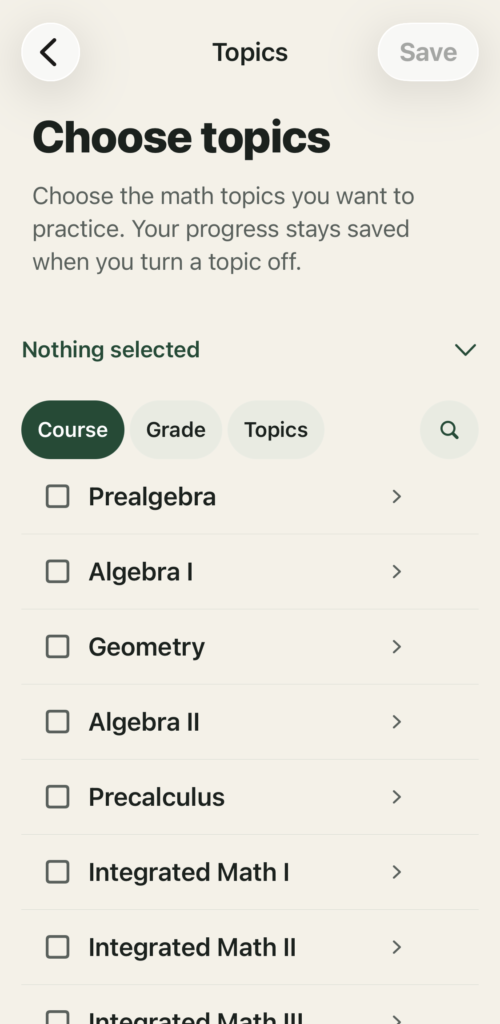
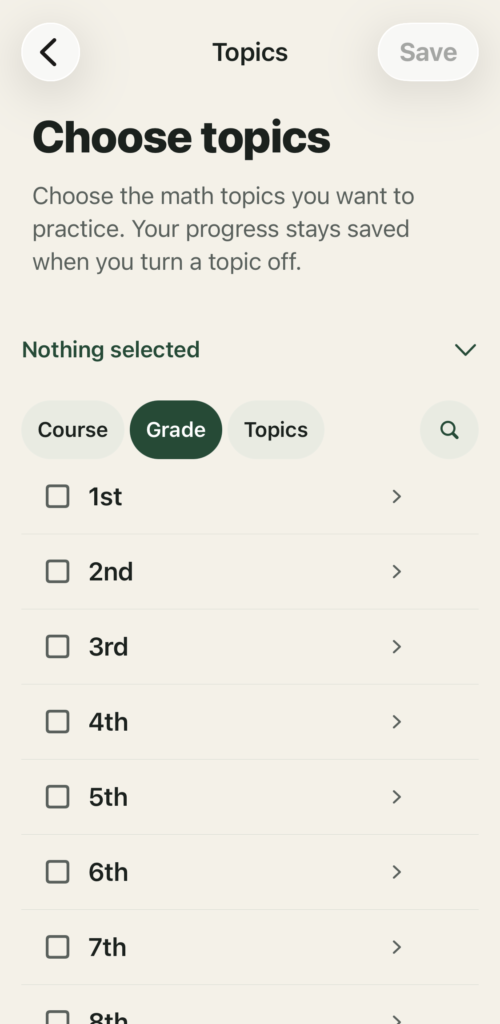
- Pick the topic (by grade, course or topic) and Mathy tells you when to practice again based on how you do (using FSRS).
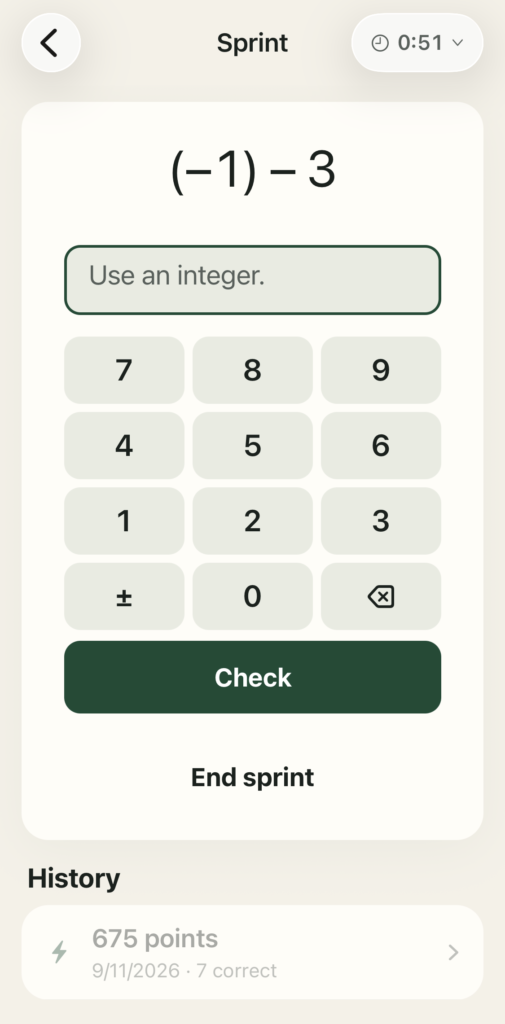
- When you’re ready, you can do timed “sprint” challenges to try and beat your best score. Future plans may let you compete against others.
There is no diagnostic or other placement like Math Academy has. It’s up to you to pick the topics. So I recommend aligning it with what you learned in Math Academy.
Next I’ll share more about how Mathy works.
Product focus & constraints
Constraints help, so I was quite deliberate with what it is and isn’t for:
- It’s only for building math automaticity, NOT learning new concepts. It’s for practicing what you already know.
- Only things you can do mentally, mostly direct recall and short procedures that become roughly 3–5-second responses with fluency.
- Offline & mobile optimized: You can use the app on the go and core features must work offline in the mobile app (iPhone & iPad support).
- Minimum effective dose: The goal isn’t to practice every day, just to keep you ‘automatic’ at your selected topics. The better you get, the less you need to practice. Some days/weeks you may not need any. The goal is to stay automatic and give you flexibility. So, once you reach automaticity it’s just for periodic maintenance when you have a few free minutes.
Platform
Instead of building a native iOS app (in Swift) like my last apps, I opted for React Native so it could support iOS (iPhone and iPad) and web from the same codebase. If there’s traction, I may replace it with native iOS and Android apps later, which would be fun to convert.
Practice, grading, scheduling, and progress storage all run locally, without an account or a practice backend. Sending help or feedback requests requires an internet connection. The app is free to use.
Progress currently stays on the device or browser where you practice. It doesn’t sync across devices (yet), and deleting the app or clearing browser data can erase it.
Note: I plan to add optional account support so you can save progress, sync it across devices, etc. I’d also like to support mini competitions and leaderboards. But these are TBD, the MVP is local only as described.
Spaced repetition algorithm
I used FSRS for scheduling. FSRS was created by Junyao Ye, who is also a Math Academy user! Here’s an explanation of the algorithm from the FSRS project.
FSRS determines memory scheduling state and when something should be reviewed. Mathy’s own queue policy decides how relearning, due work, new targets, weak material, maintenance, reinforcement, confusability, etc. get composed into practice.
The app’s homepage shows recommended practice and upcoming review dates. A separate “Play your way” option lets you practice whenever you want in multiple modes (Daily Math, Timed Math, Endless Math, or 60-Second Sprint).
Programmatically generating problems
This became a lot easier thanks to the focus constraints I mentioned above. I limited myself to things I could deterministically verify.
Math Academy has a killer team creating and reviewing instructional content, which makes sense for teaching advanced math. However, this is just an automaticity app and NOT teaching new material. So, if I can’t verify it deterministically, it doesn’t belong in this app.
It uses a curated bank of recall targets, including fixed facts and formulas alongside parameterized problem families. Those families generate variants within checked bounds, with deterministic answer keys rather than AI-generated answers.
Intuitive presentation with deterministic verification
Mathy presents each problem with clear typography and mathematical formatting, while keeping grading fully reproducible. The same problem variant always resolves to the same answer key, regardless of how the practice queue is shuffled or ordered.
Under the hood, every recall target and generated variant has a stable ID. That lets it identify and reproduce the exact problem a learner saw, which is useful for grading, debugging, and responding to problem reports.
Normalizing inputs
For typed numeric answers, the app normalizes submissions before comparison:
- Trim whitespace
- Unify symbols
- Parse via deterministic numeric parser rules
- Convert to a canonical form (fractions, decimals, percentages, radicals where allowed).
For a question that accepts equivalent numeric values, inputs such as 1/2, 0.5, 50%, and 2/4 can resolve to the same value. Questions that test a specific representation can still require a percentage, decimal, or simplified fraction.
Then if the syntax is invalid, it returns a clear invalid-format error before checking the value.
Accepted forms depend on the question. Equivalent values are accepted where appropriate, but a question specifically testing a fraction, decimal, or percentage can require that form. Choices and structured answers use their own deterministic checks.
Measuring automaticity
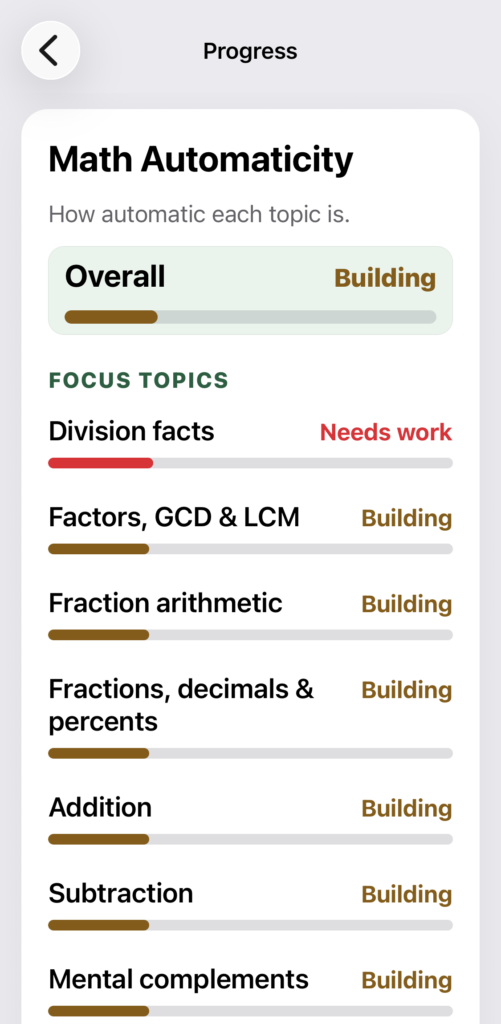
It tracks repeated correct behavior over time, not just one-off correctness.
It also uses thresholds on accuracy, recent correctness density, response time, spacing, and cue coverage, with a lapse/suspension rule for failure and re-entry review rules when regression appears.
Admittedly, I’m still iterating on this. Automated simulations already exercise years of practice, but real-world histories will help me understand how well the model matches people’s experience over time. This is another reason why I want to add cloud/sync since that supports longer, consistent histories vs. local storage.
Topics
The app’s model is a graph of Domain > Topic > Concept > Recall target > Prompt variant.
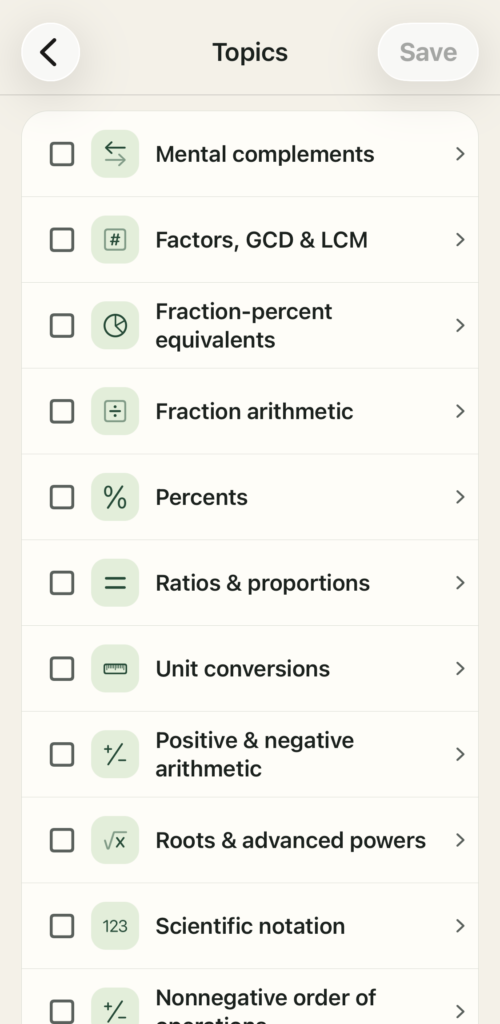
It includes topics that map to the user’s courses/grade pathways for easy browsing and filtering.
I expect there are meaningful gaps, so if you see something missing let me know via in-app feedback.
Topic coverage & variation
The goal is sufficient coverage within each topic, with meaningful variants where they help. Mathy already balances eligible material across topics and avoids recent repetitions when alternatives are available.
Topic browsing & selection
Users can browse for the topics they want to practice by course, grade or view all topics. Mathy only includes material for Common Core suitable for short automaticity practice, so there are meaningful gaps.
Keeping it fun & engaging
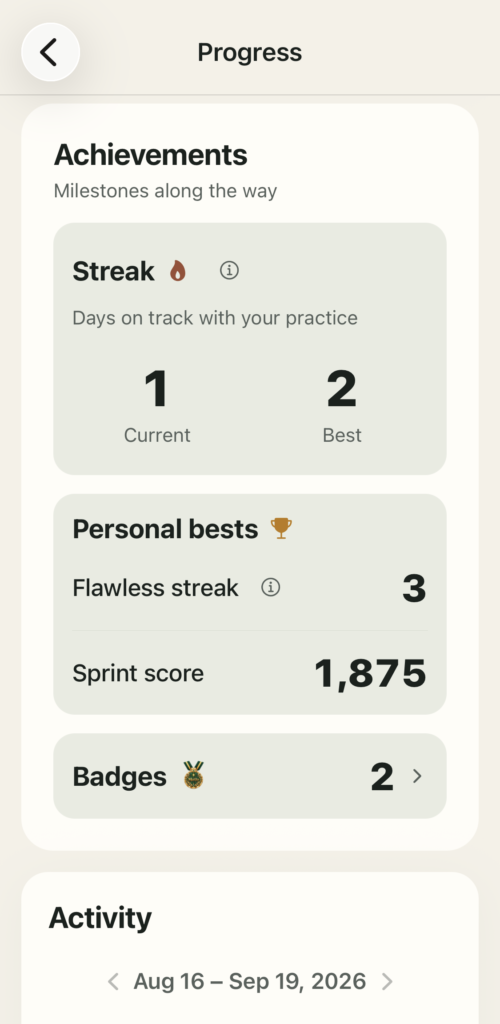
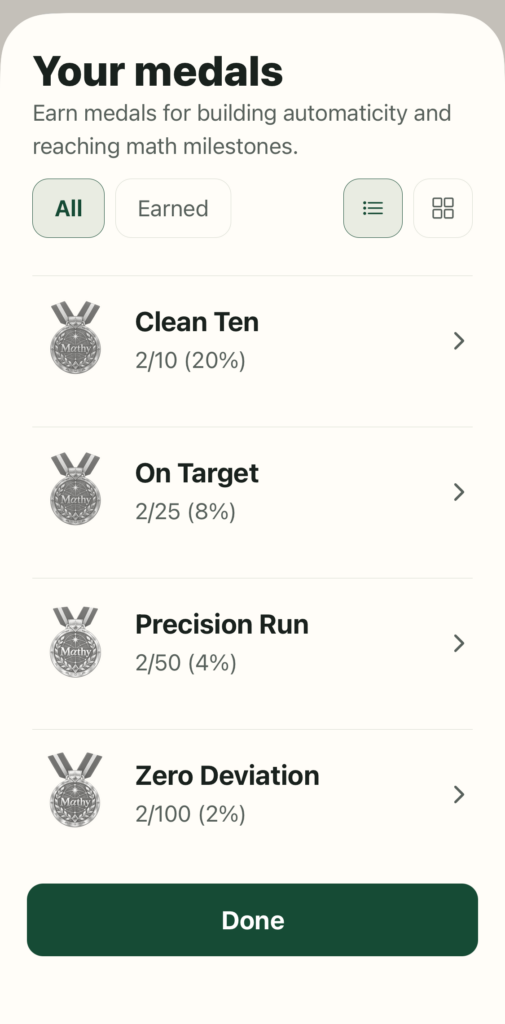
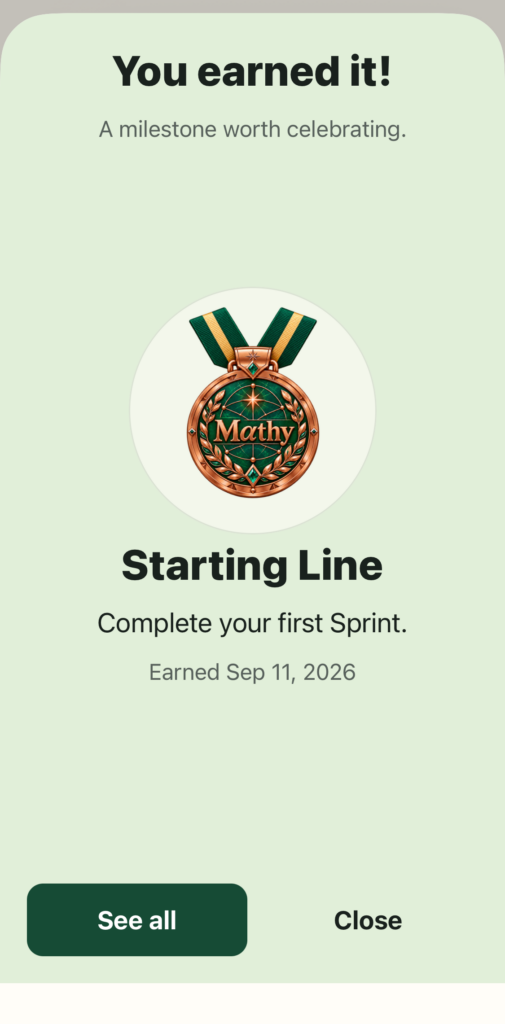
The focus on automaticity gave it the opportunity to feel more like a game than a learning app. So it has light gamification using levels, XP, math medals and streaks. I had built most of those into a habit tracking app I made, so this was an easy win using that as reference architecture.
The on-track streak follows your recommended schedule, so days when no practice is needed count too, without opening the app.
The 60-second sprint mode is especially fun, and if I add account creation later it’d be fun to host leaderboards for best scores and such.
In the future I’d also want to add more fun stuff like math tricks, olympiad hacks and more challenges. This is TBD more out of curiosity, but I’d like to explore more here if I get time and if the app gets any traction.
The last 10% 90%
The last 10% always takes the longest, doesn’t it? The core app came together in a few days, then the app was ready for Apple App Store submission after about two weeks, but there’s still more work to do.
Much of it came down to how the app feels to use and how it delivers what content when.
The nice thing about being busy over most of those two weeks traveling and such was that I could make some fixes, push them to the dev version on my phone, take notes on rough edges, and push more changes.
I even had my kids use it on downtime during plane flights, etc. which was good feedback.
That allowed me to make dozens of rounds of improvements in a relatively short timeframe.
There’s still a LOT more work to do on:
- Content quality and variety: Deterministic checks make it easier to expand suitable problem families, but coverage, wording, difficulty, and useful variation still need work.
- Content presentation, input and interaction: I’m designing for mobile, so the form factor is a challenge, particularly on advanced content, but it’s fun to experiment with and test different approaches.
I’m less familiar with math from this perspective, so these have been exceptionally fun problems to work on and learn about. They’re also quite tractable, so it’s just a matter of focusing on them once I get some time.
Unexpectedly fun
I’m proud of how the app is coming together but the most unexpected thing was how fun it is to work on. I can’t express how much I enjoyed building the app and thinking through the experience.
I’m a product guy, so it’s no surprise that’s the funnest part. But lately I’d spent so much time on more complex projects focusing on architecture, backend, wrangling bleeding edge SDKs, testing new models, etc. that it took building something simpler to give me the opportunity to focus on frontend again. I missed it.
If this gets any traction I’m quite excited to build out other experiences like multiplayer sprints and other math challenges that work well in mobile’s simpler form factor.
What’s next
I’m tentatively planning to work on these next:
- Account creation to back up progress and sync it across devices. I originally wanted to keep it offline, but losing your progress/badges is a real bummer.
- Improving content coverage, variation, input and display, particularly for advanced topics.
- Reminders when it’s time to practice, especially when there are days/weeks in-between sessions.
- Challenges/leaderboards to compete against others, e.g. in 60-second sprints and other competitions if the app gets enough of a user base.
- Wish list: Math Academy integration so practicing gives you a tiny amount of XP, areas you need to improve automaticity automatically sync to the app, and areas you need to learn suggest the right Math Academy course.
Thankfully, it’s a relatively simple app, so the future feature list isn’t too long.
The app is currently free, but if it gets traction or I launch cloud/sync support then I’d probably introduce an optional ~$1/mo. paid plan to cover associated hosting costs for those who want the cloud features, challenges, leaderboards and other fun multiplayer content.
This has been a fun little side project. I learned a lot. If you want to try it out, as of this writing the iOS app is still in app review it’s available in the iOS App Store here and the web version is available at mathy.game.
Update:
There was a good discussion on Hacker News here, where I went more into some of the technical details in response to a question.